WooCommerce Settings
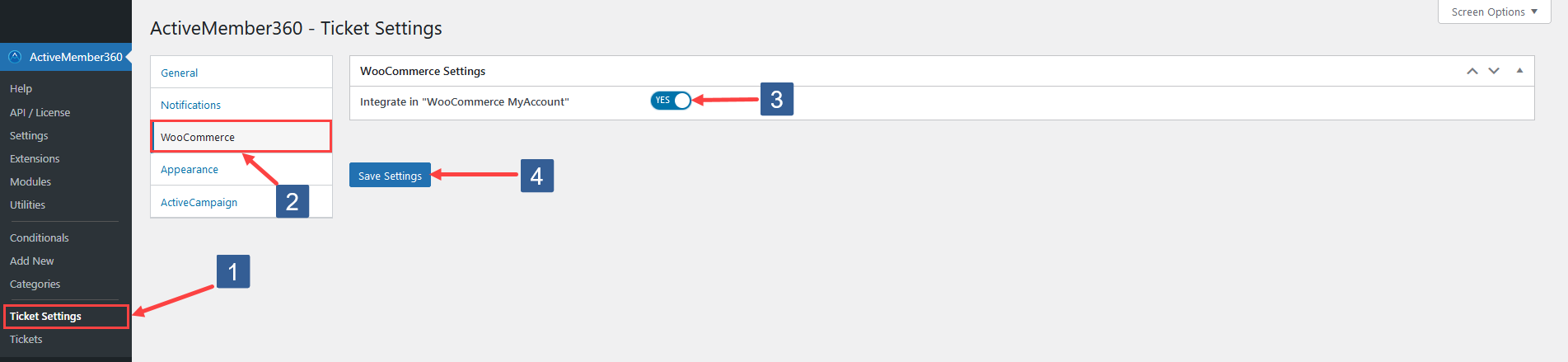
Steps to configure WooCommerce settings for the ActiveMember360 Ticket System Module
-
In WordPress administrator main navigation click ActiveMember360, Ticket Settings.
-
In ActiveMember360 Ticket Settings tabs click WooCommerce.
-
This option will be available if you have WooCommerce installed and activated.
By setting Integrate in "WooCommerce My Account" to Yes/On a link named Support will be integrated into your WooCommerce My Account page/navigation.
The link will redirect to the URL defined by your main ticket endpoint specified in Tickets, Settings, General, Main Endpoint.
-
Click Save Settings.